
Install the ilync web app
Add ilync to your home screen for a fast, app-like experience. Pick your device and follow the steps — it takes under a minute.
- 1
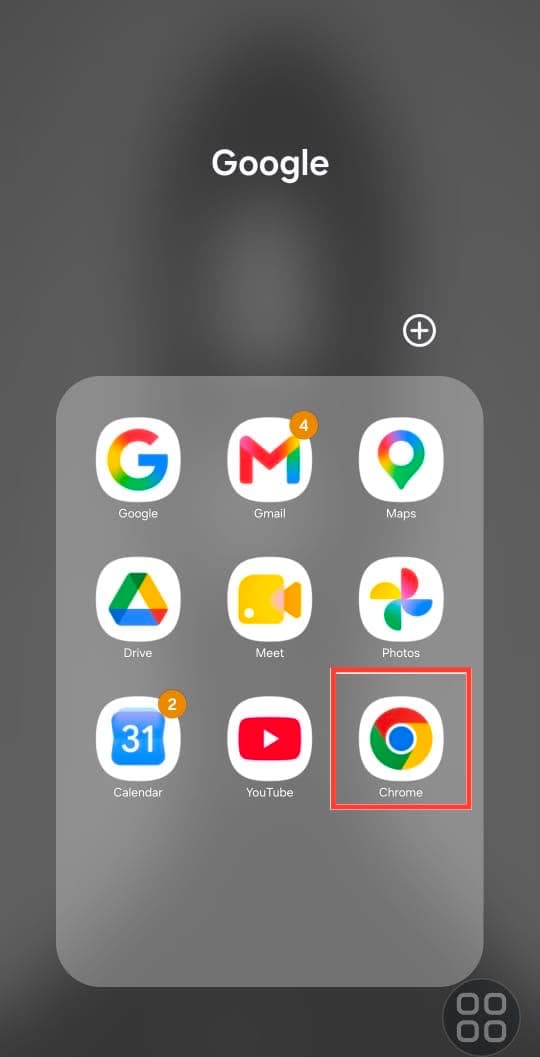
Open Chrome
Open the Chrome browser on your Android phone. Other Chromium-based browsers work too.
- 2
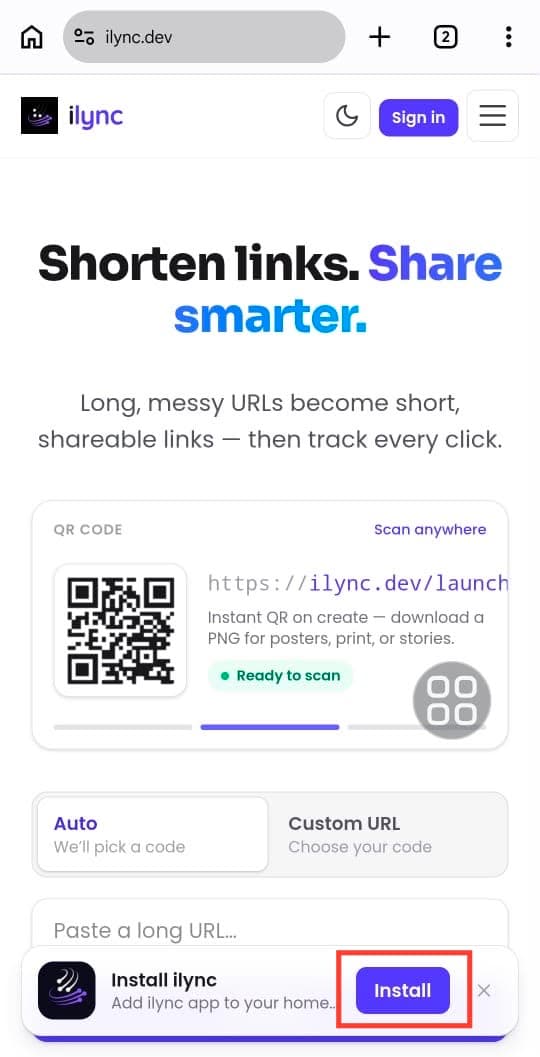
Visit ilync.dev
Open ilync.dev and tap the Install button on the “Install ilync” card at the bottom of the screen.
- 3
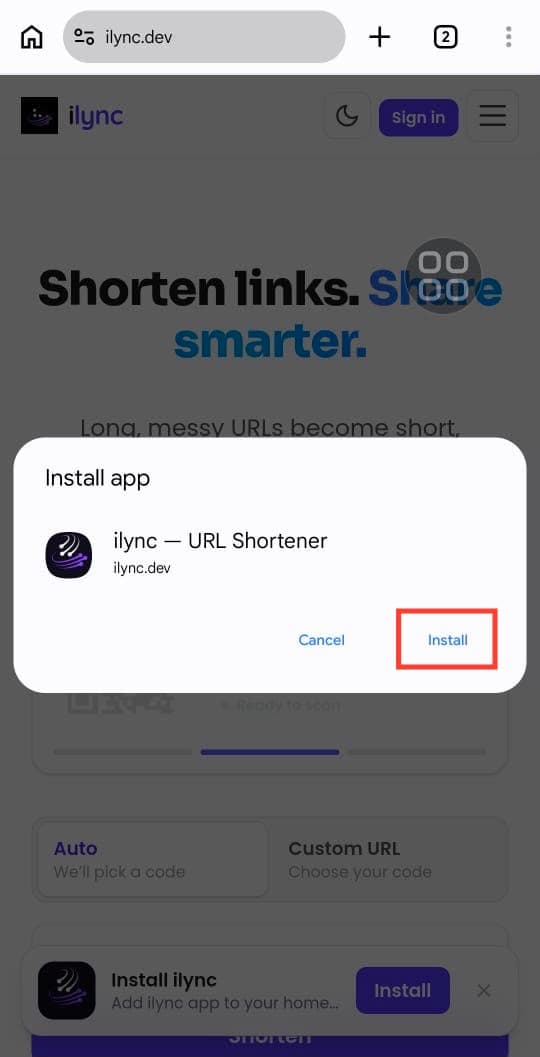
Confirm the install
Tap Install on the “Install app” dialog that pops up, then wait a moment for it to finish.
- 4
Launch from your home screen
The ilync icon now lives on your home screen — tap it to open the app anytime.

One-tap access
Launch ilync straight from your home screen — no browser tab needed.
Works offline
The app loads instantly, even with a spotty connection.
Always up to date
It updates automatically, so you always get the latest features.
Stuck on a step?
Browse our FAQs or reach out and we'll walk you through installing ilync on your device.
Get help